
Connect Audience Data is where you bring outside data into PPCmate audiences. Open it from Audiences, or via Connect a data source on the Audiences page.
Live streams
Send your site's events from a CDP (RudderStack, Segment, Jitsu, Snowplow) through a webhook. These build audiences from your website visitors.
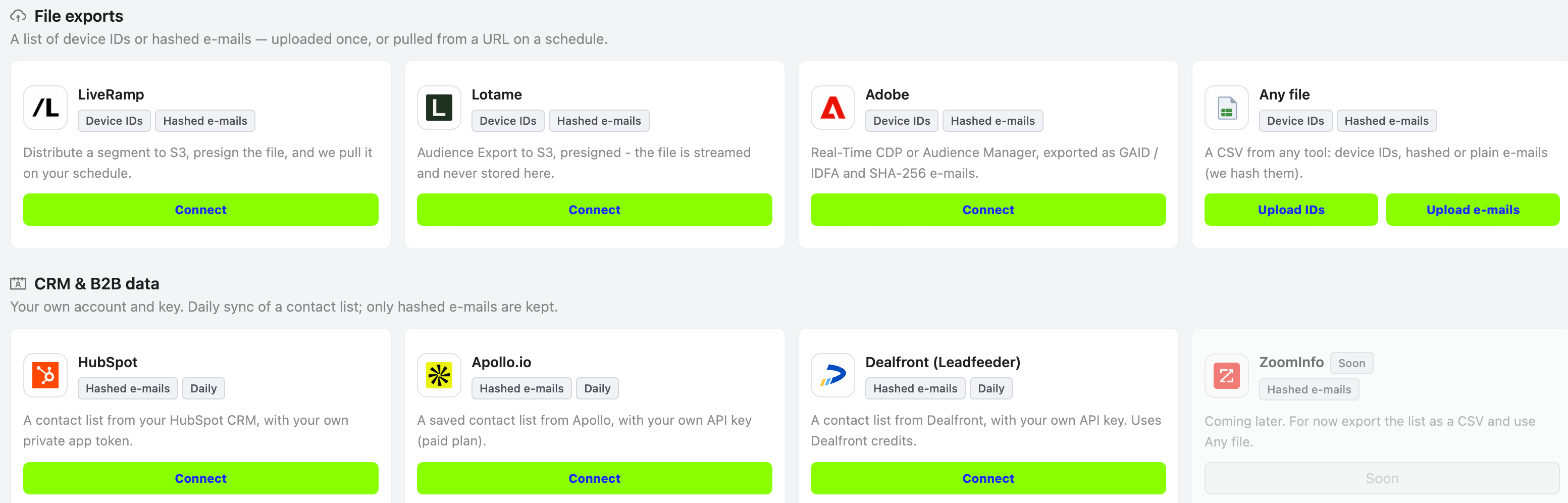
File exports
Lists from data platforms (LiveRamp, Lotame, Adobe) or Any file. Any file has two buttons:
- Upload IDs: a CSV of device IDs or SHA-256 hashed e-mails, one per line. See Customer lists: upload a list and use it on Google, Microsoft and Meta.
- Upload e-mails: a normal contact export with plain e-mails, which we hash on arrival. See Contact list file (CSV): format and upload.
CRM & B2B data
Connect your own account with your own key. A contact list is synced daily, and only hashed e-mails are kept.
- HubSpot: Connect HubSpot: sync a HubSpot contact list to your audiences
- Apollo.io: Connect Apollo.io: sync a saved Apollo contact list
- Dealfront (Leadfeeder): Connect Dealfront: sync a Dealfront contact list
- ZoomInfo: coming soon, see ZoomInfo: coming soon (use a CSV export for now)
A connected source shows a green Connected tag with the list name, plus Manage and Disconnect. Use Connect another list to add a second list from the same tool.
What we can match, and what we cannot
A short card that explains which identifiers each network can use.
Your connections
A table of all your audiences from these sources: name, source, people and status (for example "List stored · on Google · Microsoft · Meta"). Hover over the status for details per network.
See also: Customer list statuses on Google, Microsoft and Meta and what to do.